
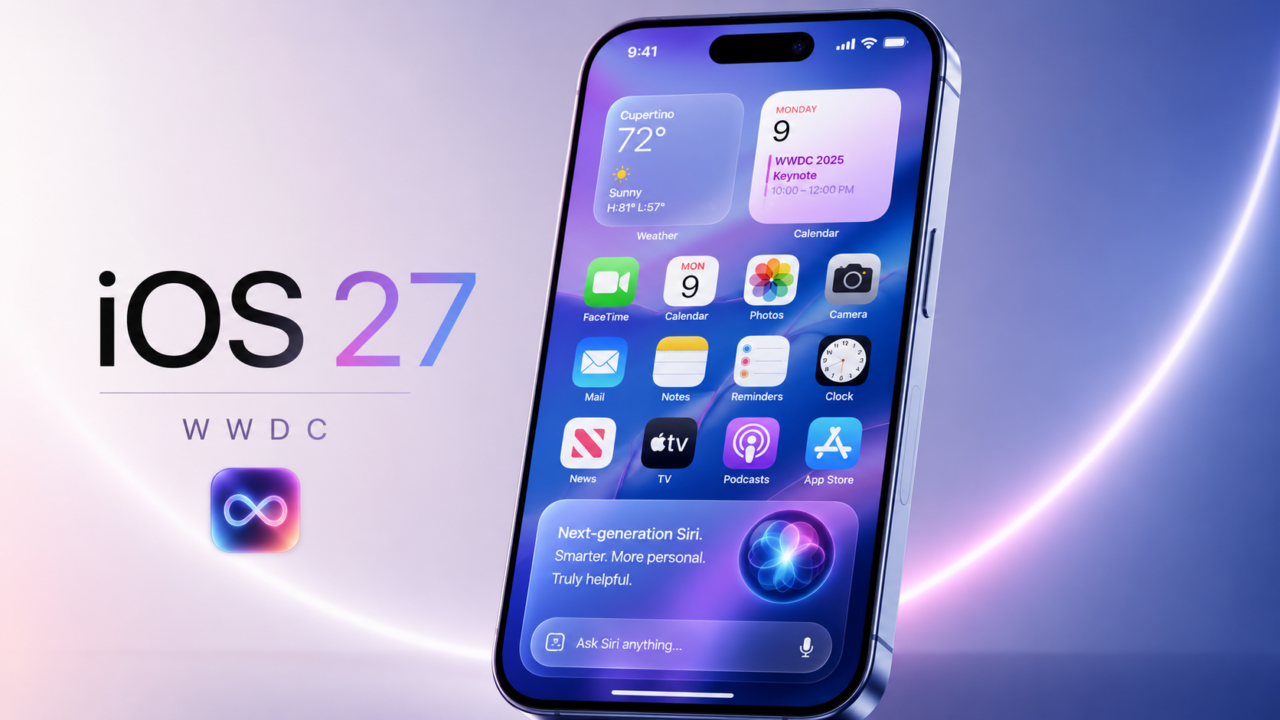
Okay, so Apple did the thing they always do at WWDC: they put up one of those blink-and-you-miss-it slides absolutely packed with new features, and this year it was a monster. We’re talking 250-plus changes spread across iOS 27, macOS 27 Golden Gate, watchOS 27, tvOS 27, and visionOS 27. Apple breezed right past it on stage, but the full categorized list is out now, and honestly? There’s a ton of good stuff buried in there.
Here’s the deal up front: every one of these updates is already live as a developer beta, and the rest of us get the public rollout in September. So nothing here is vaporware; it’s coming to your phone whether you asked for it or not.
We went through the whole list (so you don’t have to) and grabbed the changes that’ll actually make a difference in your day-to-day. Let’s get into it.
First, the big picture: this was Tim Cook’s swan song
Before we nerd out on features, a quick note on the vibe of the whole event. WWDC 2026 kicked off June 8 at Apple Park in Cupertino, and it’s widely expected to be Tim Cook’s last keynote as CEO before he hands the reins to hardware boss John Ternus on September 1. So the whole thing had this low-key “end of an era” feeling baked in.
Fitting, then, that the next version of macOS is literally named Golden Gate, and it pretty much closes the book on the Intel era for good. The Mac is now fully future-focused, leaning hard into AI and smoother performance. More on that in a sec.
Oh, and Apple’s tagline for the whole show was “All Systems Glow.” Make of that what you will.
Liquid Glass got a chill pill (finally)
Remember last year when Apple rolled out Liquid Glass, that frosted, see-through design language, and half the internet complained they couldn’t read anything in bright sunlight? Yeah, Apple heard you.
In iOS 27, the default look leans way less transparent, and there’s now an opacity slider so you can crank the see-through effect up or dial it all the way down to fully solid. It’s your call now. Liquid Glass isn’t going anywhere, but this is Apple basically saying “our bad” without saying it.
On the Mac side, Golden Gate cleans things up too: more uniform toolbars, sidebars that stretch edge to edge, tighter corners on windows, and a refreshed set of app icons with an almost-3D layered effect. After last year’s dramatic overhaul, this is a refinement year, and most folks are gonna be cool with that.
The headline act: Siri finally grew up
Let’s be real, this is the one everybody was waiting for. After teasing it back in 2024 and pushing it back twice, Apple finally shipped the smart, AI-powered Siri, now branded Siri AI.
Here’s what’s new:
- It lives in its own standalone Siri app for the first time, type or talk, your choice.
- You can hold actual back-and-forth conversations with it, ChatGPT-style.
- It’s got on-screen awareness, so it actually knows what you’re looking at.
- And here’s the spicy part: under the hood, it’s powered by Google’s Gemini model. Yep, Apple partnered with Google to pull this off.
Siri AI works on the iPhone 15 Pro and newer. But, and this is a big but two of the coolest pieces are locked behind your hardware.
The catch nobody loves: you need 12GB of RAM
Apple’s most powerful on-device AI model (officially called AFM Core Advanced) needs 12GB of RAM to run. And right now, only three iPhones clear that bar: the iPhone 17 Pro, iPhone 17 Pro Max, and iPhone Air.
What does that get you? Two things specifically:
- The ability to customize how expressive and fast Siri’s voice is.
- A major accuracy boost for speech-to-text dictation.
The regular iPhone 17? It only packs 8GB of RAM, so it misses out entirely on the advanced on-device model; it leans on Apple’s cloud servers instead, which run slower. The same 12GB rule applies to iPads (M4 chip or newer) and Macs (M3 or newer).
So if you bought a base iPhone 17 thinking you were getting the full AI experience… ouch. That one’s gonna sting a little.
One pleasant surprise, though: the iPhone 11 lineup was rumored to get axed from support this year, and Apple kept it alive. So your old reliable can still run iOS 27, just don’t expect all the fancy AI bells and whistles.
Speed: your phone’s about to feel snappier
Apple leaned hard into performance this year, and the numbers they threw on stage are legit:
- Apps launch up to 30% faster.
- Photos hit your camera roll up to 70% faster after you snap them.
- Faster AirDrop transfers, faster file browsing, quicker photo handling all around.
There’s also a smarter CPU scheduler working behind the scenes, which is Apple-speak for “your older iPhone should feel less sluggish.” Nice to see them throwing the older crowd a bone.
Parents, this one’s for you
Apple beefed up the parental controls in a real way. You can now set up child accounts that are mandatory for kids under 13 and stick around until they turn 18. From there, you control which apps they use, whether they need approval before visiting new websites in Safari, and who they’re allowed to talk to across Messages, FaceTime, and Phone.
The Communication Safety feature, which used to just blur nudity, now also catches violent and graphic content. With governments worldwide leaning on tech companies over child safety, this was a smart move.
A quick heads-up if you’re in the EU
Small asterisk for any readers across the pond: thanks to the EU’s Digital Markets Act, iPhone and iPad users in the EU won’t get Siri AI at launch. Mac, Apple Watch, and Vision Pro users in the EU are fine. Apple says it needs more time to meet the regulatory requirements. So that’s a bummer if you’re in Europe, but for us in the States, we’re good to go.
The underrated gems hiding in the list
Here’s where it gets fun. Beyond the headliners, the 250-change list is loaded with little quality-of-life wins that’ll quietly make your phone better. A bunch of the standouts:
- Switch between two iPhones using the same phone number, clutch if you carry a work and personal device.
- Live Activities now show up in the Dynamic Island in landscape mode.
- Extra-large widgets for your Home Screen and Today View.
- Dual camera in FaceTime, front and back at the same time.
- Independent alarm volumes, so your wake-up alarm can blast while your other alerts stay chill.
- Save any video frame as a full photo, finally.
- iCloud Shared Albums now work with Android and Windows users. Mixed-device families, rejoice.
- Add keywords to photos and videos, plus react with any emoji in Shared Albums.
- An Identity Documents collection in Photos to corral your IDs.
- Failed texts now auto-retry in Messages instead of just sitting there.
- A built-in drawing tool showed up in Notes, Messages, and Freeform.
- Perimenopause and menopause support landed in the Health app, including symptom logging and dedicated Fitness+ workouts. Genuinely overdue and good to see.
- Music gets new AutoMix transitions and AirPods Custom EQ.
- Maps adds natural-language search for routing and a beefed-up Flyover with richer aerial imagery.
- Shortcuts got a redesigned editor plus “else if” support for the automation crowd.
- CarPlay adds audio scrubbing, improved GPS accuracy, and a mini player.
And that’s barely scratching the surface, there are dozens more tiny tweaks across Mail, Safari, Calendar, Wallet, Find My, the Home app, and accessibility features.
So… should you care?
Short answer: yeah, probably. iOS 27 is shaping up to be one of the more meaningful updates in a hot minute, not because of one giant flashy feature, but because Apple finally focused on the boring stuff that actually matters: speed, readability, and a Siri that doesn’t make you wanna throw your phone.
If you’re rocking an iPhone 17 Pro, Pro Max, or Air, you’re getting the full-fat experience. Everyone with an iPhone 15 Pro or later still gets the bulk of the goodies. And even if you’re on an older device, the performance bumps alone make this an easy “yes” when it drops.
Mark your calendar for September. The free upgrade’s coming, and this year, it’s actually worth the download.
Sources: MacRumors, Tom’s Guide, TechRadar, Digital Trends, iDropNews, Gadget Hacks, Memeburn, and Apple’s WWDC 2026 keynote.